
Garmin, for some or other reason, has included a random T4A POI layer on their units as follows for example:
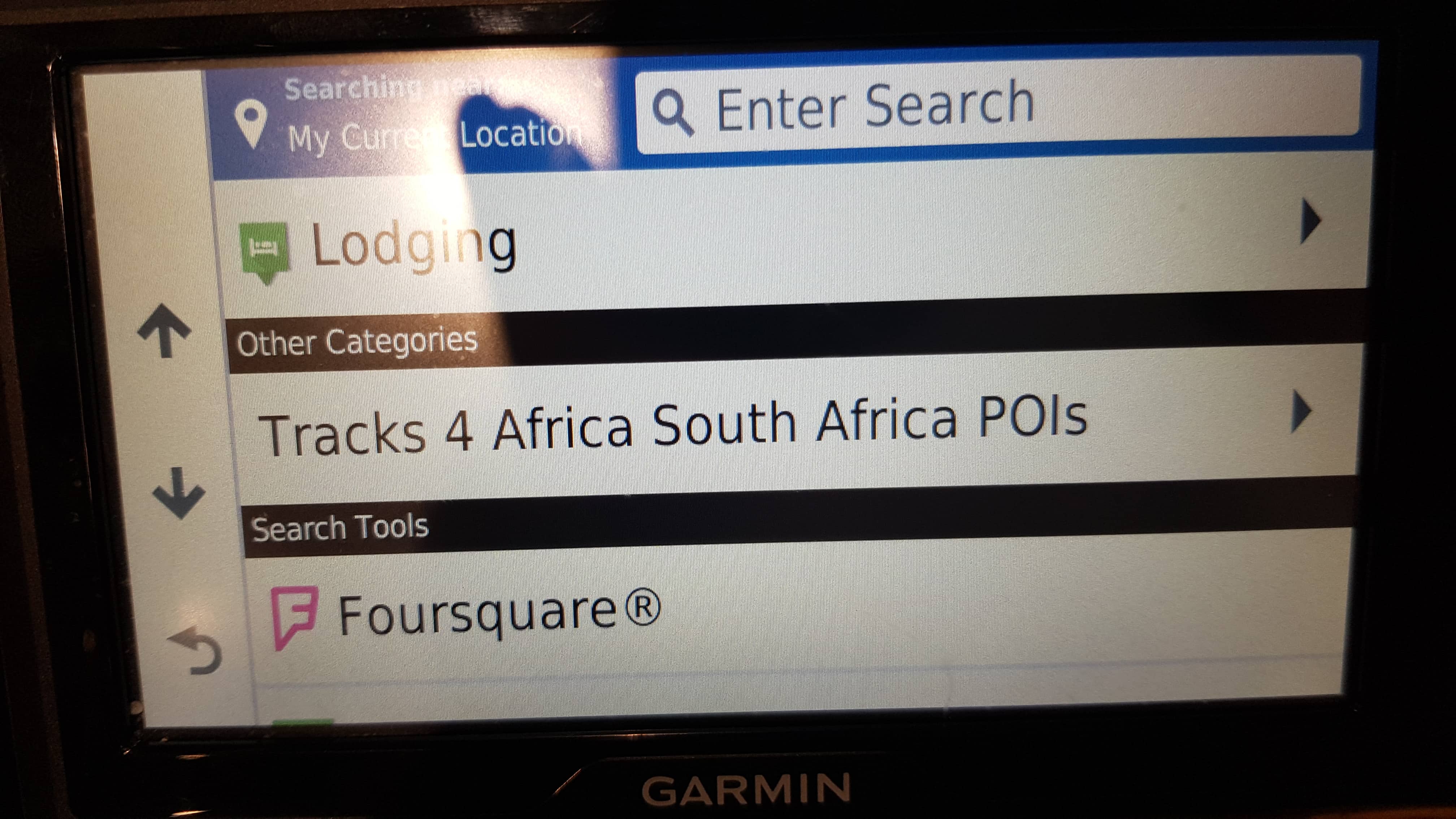
This is creating an annoyance on Garmin users devices, as POI around them pop up all over the place on their screen represented by white T4A number 4’s.
You can follow the steps below in order to remove this.
Please note that T4A has never requested Garmin to incorporate our POIs into their maps and device in this manner. We are reported the issue to Garmin and they have removed it in their latest units: To solve for now:
Step 1: Connect your device to your computer using the USB cable the device came with.
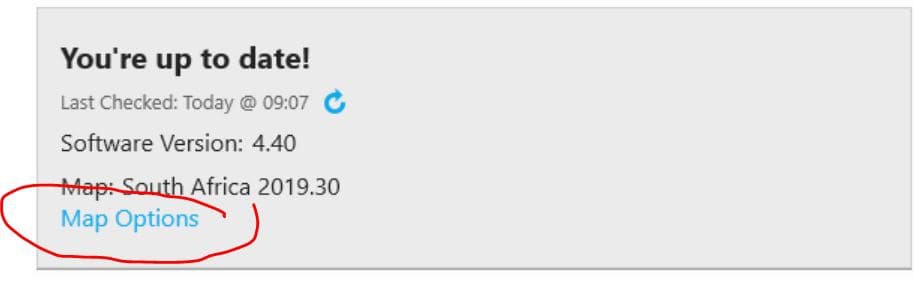
Step 2: Open Garmin Express, navigate to your device, once you have selected your device in Garmin Express, please select “Map options” (indicated in screen shot below)
Step 3: Select “Reinstall map” followed by “Continue”.
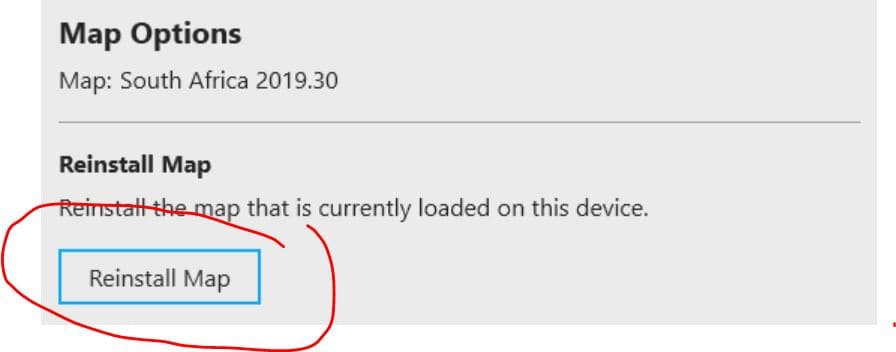
Step 4: Allow the reinstallation of the map to complete, this will load the corrected files onto your device which will solve the clutter of the Tracks4Africa Pois on the map screen when navigating.


