
1. T4A Maps installed are not very detailed #
You can increase the map detail by doing the following:
Zoom in and out of the map in order to see more detail (on the top toolbar go to View > Zoom in)
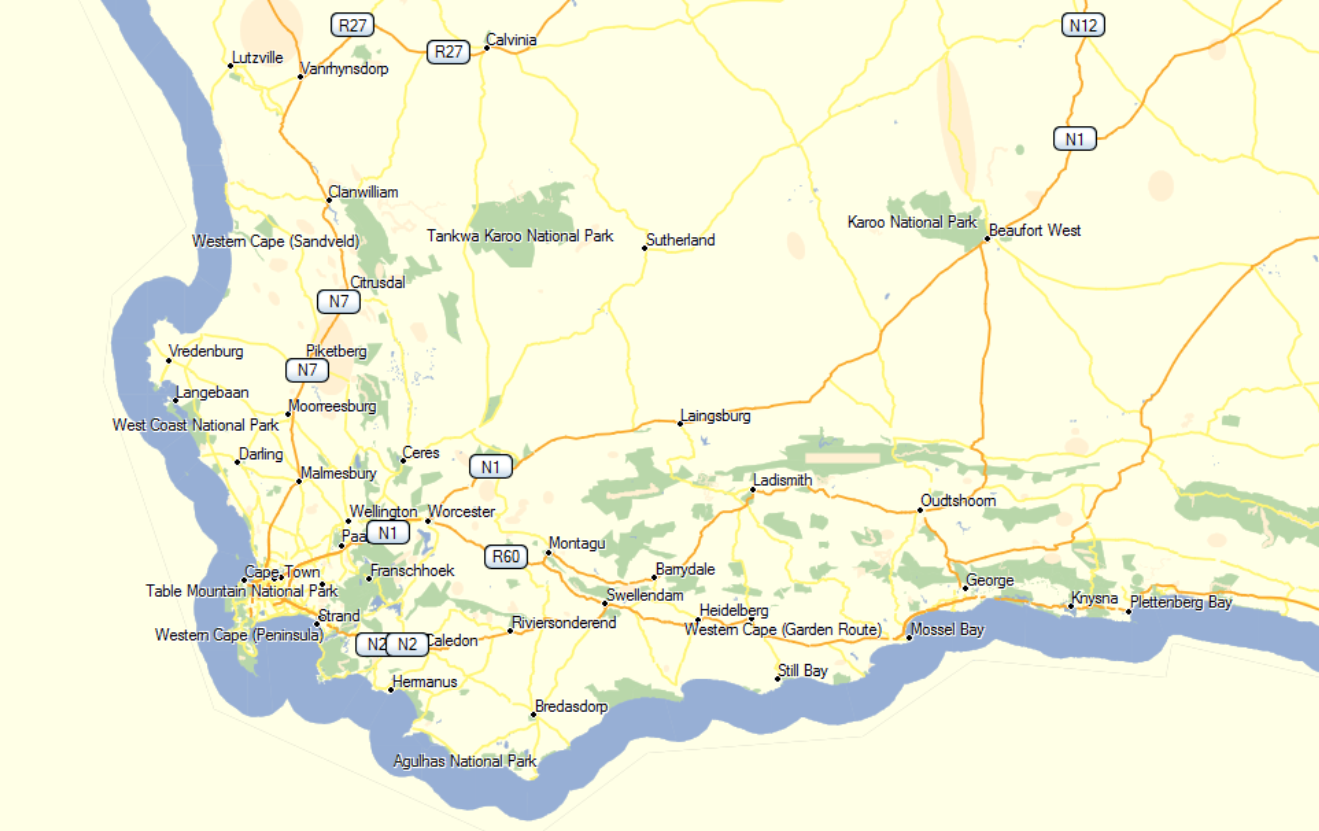
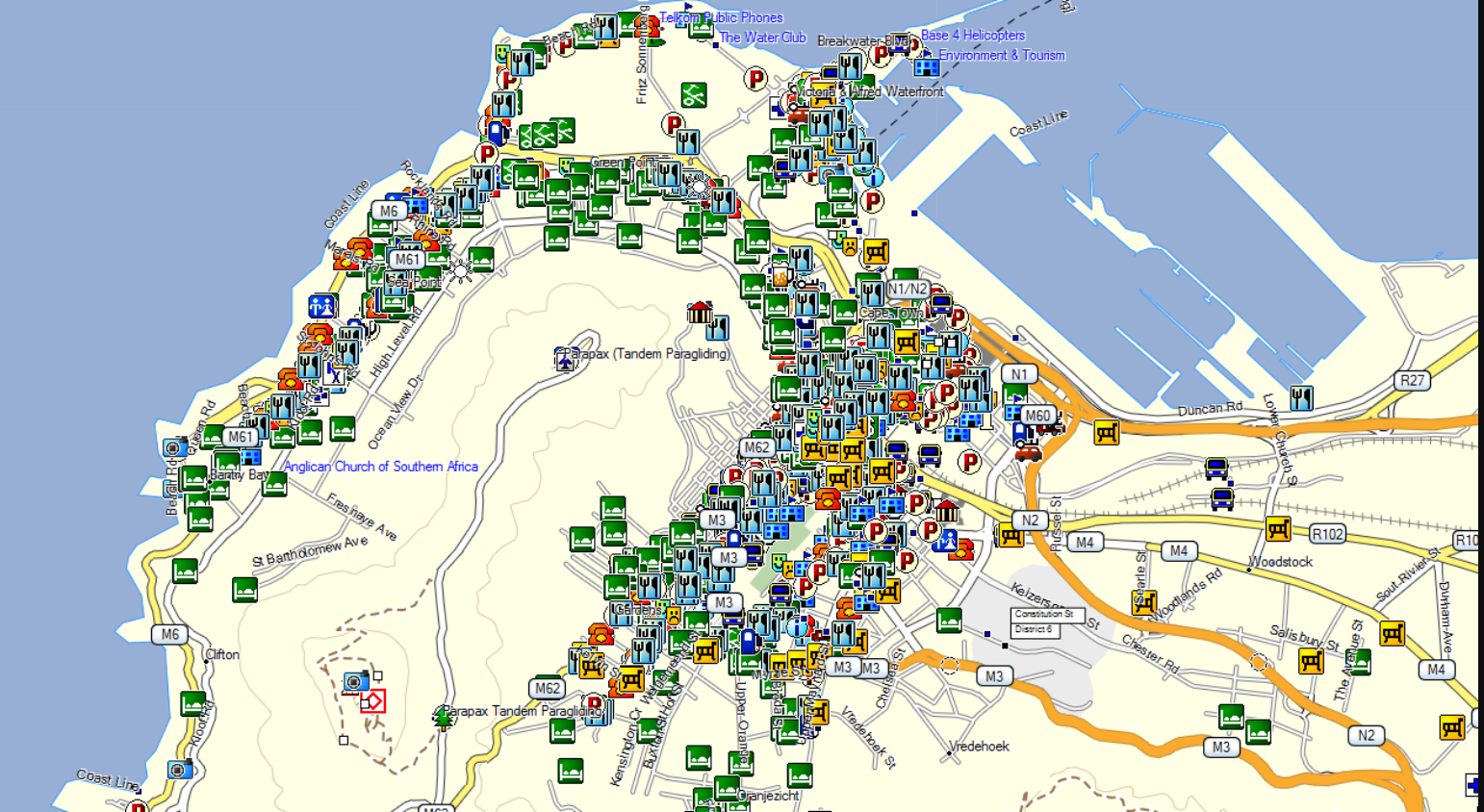
Example of GPS map at two different zoom levels:
70km Zoom Level
700m Zoom level
Then also check the following:
Windows PC:
Open BASECAMP
On the top of the toolbar go to View > Toolbars > Click on Detail level (you need to enable it).
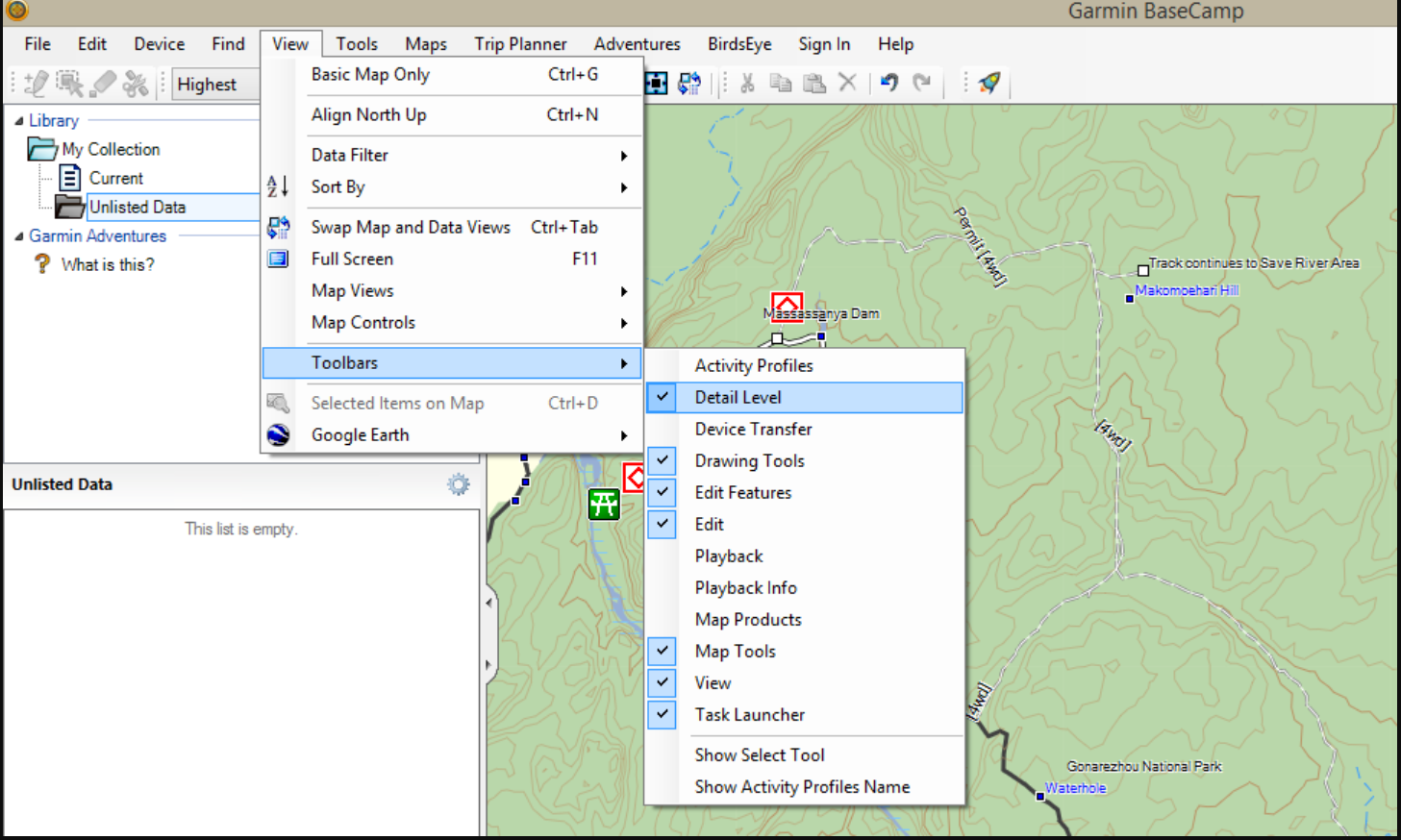
Your map detail is now set to Highest.
On a MAC:
Open BASECAMP.
Look at the bottom of the BASECAMP screen for this window.
Move the cursor towards the plus sign to increase the map detail on your map.
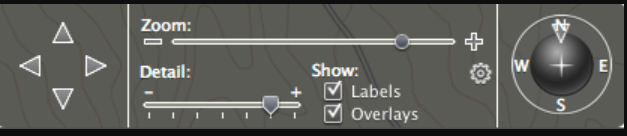
Your map detail is now set to highest.


 Products